
About product
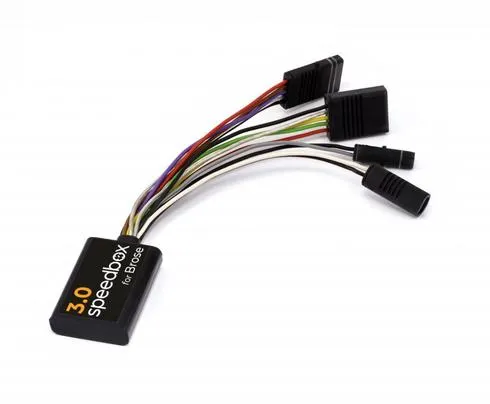
SpeedBox 3.0 for Brose – Unlock Your E-Bike’s Full Potential
The SpeedBox 3.0 is a tuning module designed for Brose and Brose Specialized e-bike motors. It removes the factory 25 km/h speed limit, allowing you to enjoy motor assistance at higher speeds. The maximum assistance speed can also be adjusted to suit your preferences.
The third-generation SpeedBox displays accurate riding data on the e-bike display, including current and average speed, range and daily distance travelled. No computer or smartphone is required for operation.
IMPORTANT: Before updating your e-bike’s software, remove the SpeedBox. Software updates may affect compatibility and cause the tuning module to stop working.
Key Features – SpeedBox 3.0 for Brose
Removes the factory 25 km/h speed limit: Allows motor assistance beyond the standard speed limit.
Adjustable maximum speed: Switch through the assistance modes three levels down and then three levels up: TURBO → TRAIL → ECO → OFF → ECO → TRAIL → TURBO. The current speed limit will appear on the display. Briefly activate the WALK function or rotate the rear wheel by 360° to adjust the limit. A displayed value of 1.5 km/h corresponds to 15 km/h, 4.0 km/h to 40 km/h, and so on. The last displayed value is saved after 5 seconds of inactivity.
Accurate speed and riding data: The display continues to show actual values, including current speed, average speed, range and daily distance, even when tuning is active.
Easy activation and deactivation: Briefly press the WALK button to activate tuning. The display briefly shows 9.9 km/h, indicating that tuning is active and the speed limit has been removed. Press WALK again to deactivate tuning. The display briefly shows 2.5 km/h, indicating that the standard 25 km/h limit has been restored. If the e-bike does not have a WALK button, use the + – + – button sequence.
No additional battery required: The SpeedBox is powered by the e-bike system.
Installation
The SpeedBox 3.0 is a tuning module that connects directly to the motor. Access to the motor connectors is required.
Switch off the e-bike and remove the battery, if possible.
Access the motor connectors.
Disconnect the cables connecting the motor to the speed sensor and display.
Connect the SpeedBox to the corresponding connectors.
Reassemble the e-bike and check that all connections are secure.
The colour-coded, keyed connectors help ensure correct installation.
Important Notes
New e-bikes: If installing the SpeedBox 3.0 on a brand-new Brose e-bike, ride at least 10 km before activating the tuning module for the first time.
Software updates: Remove the SpeedBox before updating the e-bike’s software. Once the update is complete, reinstall the module. Compatibility after an update is not guaranteed, so software updates are generally not recommended.
Specialized Mission Control: The speed display in the Specialized Mission Control app may not work correctly when tuning is active.
TCU without a display: For e-bikes equipped with a TCU but no display, the B.Tuning version is recommended because it is compatible with the SpeedBox App and offers additional features.
Compatibility
Compatible Motors
Brose Specialized (excluding Specialized SL models)
Brose S-MAG (excluding Brose S-MAG FIT)
Brose S
Brose T
Brose T-ALU
Brose C
Not Compatible With
Specialized SL e-bike models
Brose e-bikes with the FIT system, including Brose S-MAG FIT
E-bikes without a display port connection (typically fitted with a blanking cover)
SpeedBox App
Enviolo Automatiq systems